



Keeping your PHP version up to date is crucial for maintaining security, performance, and compatibility with your website applications whether you’re using WordPress, Laravel, Magento, or any other CMS.
At Stable Cluster, you can easily manage your PHP version and extensions using the Select PHP Version tool in your cPanel.
Follow these steps to update or configure your PHP version smoothly:
1. Log in to cPanel
- Log in to your hosting cPanel account using the credentials provided in your Stable Cluster welcome email.
Once logged in, you’ll be directed to the cPanel Dashboard.

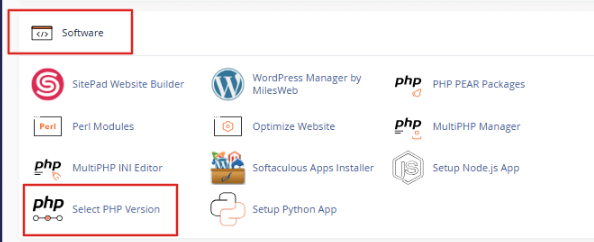
2. Open the Select PHP Version Tool
- Scroll down to the Software section.
Click on Select PHP Version to open the PHP Selector interface.
3. Choose Your Desired PHP Version
- You’ll see your current PHP version displayed at the top of the page.
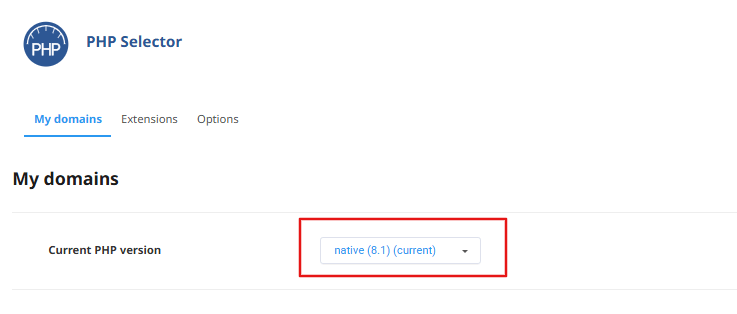
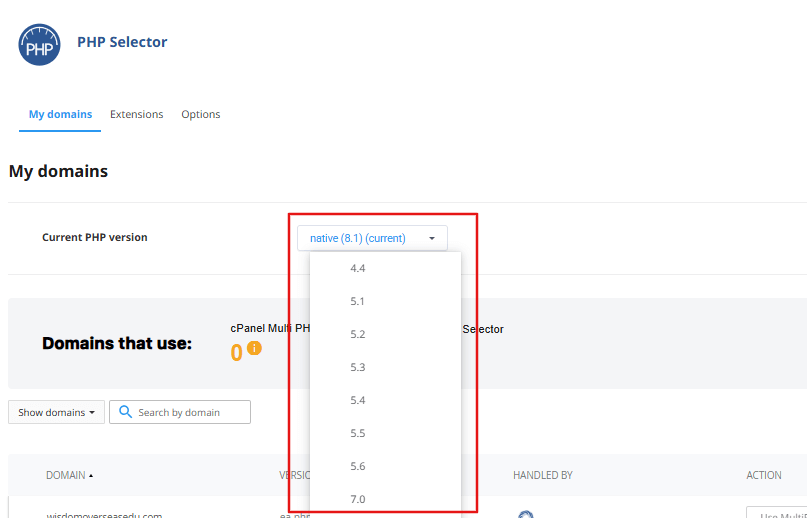
Use the dropdown to select your preferred PHP version (for example, PHP 7.4, 8.0, 8.1, or 8.2).
Click Set as Current to apply the change instantly.
4. Enable or Disable PHP Extensions
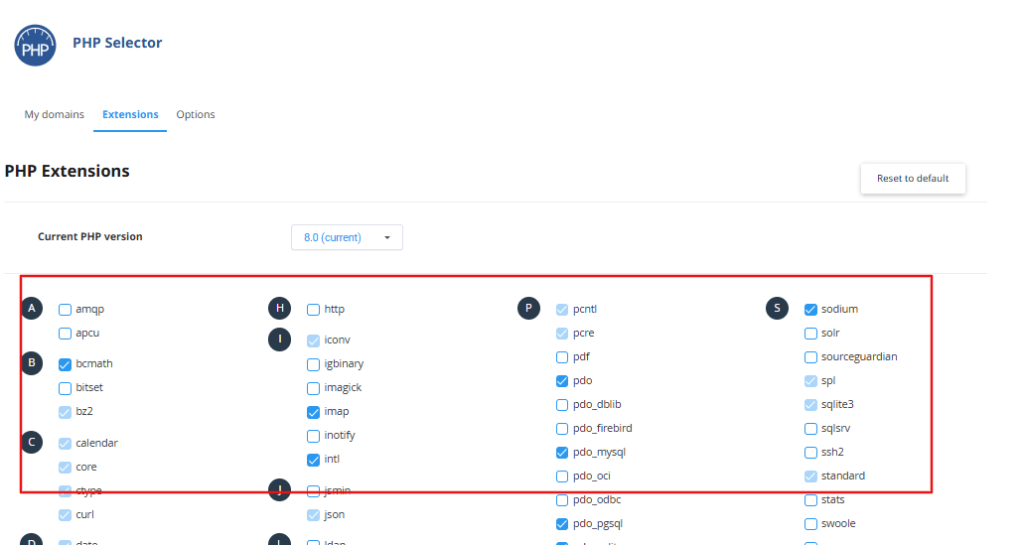
- If the Extensions tab is available, open it to manage specific PHP extensions.
Simply check or uncheck the boxes next to extensions likegd,mbstring,zip, and more.
Your changes are saved automatically.
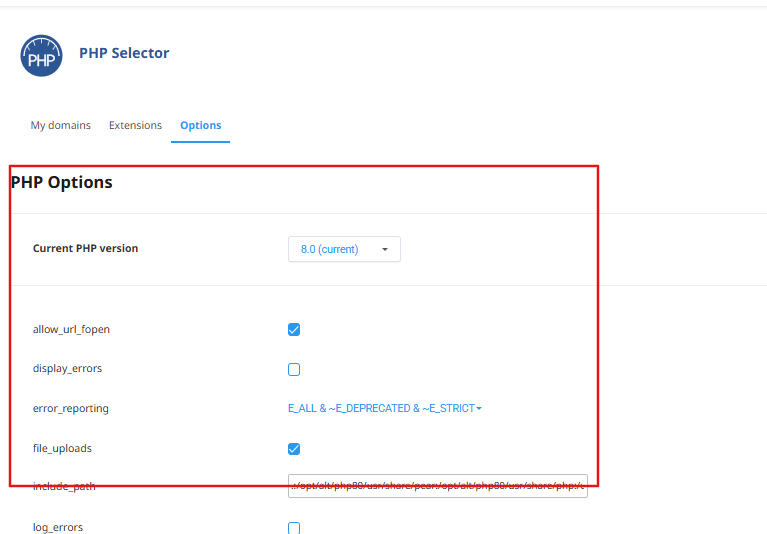
5. Adjust PHP Settings (Optional)
Switch to the Options tab (if available).
Here you can modify settings such as:
-
memory_limit -
max_execution_time -
upload_max_filesize
Once you make the adjustments, click Save to apply your changes.
Why It’s Important to Keep PHP Updated
-
Security: Protects your website from vulnerabilities and exploits.
-
Performance: Enhances the speed and efficiency of your site.
-
Compatibility: Ensures your CMS, themes, and plugins run smoothly.
If You Don’t See the PHP Selector
If you cannot find the Select PHP Version option in your cPanel:
-
Check the Software section for MultiPHP Manager instead.
-
Or contact Stable Cluster Support — our team can help enable the PHP Selector for your account.
Final Note
Stable Cluster makes it easy to manage your PHP environment directly through cPanel.
Regularly updating your PHP version ensures optimal performance, stronger security, and better compatibility with the latest web technologies.
