


You can upload files directly through cPanel’s File Manager without using an FTP client.
-
Log in to your cPanel account.
-
Go to the Files section and click File Manager.

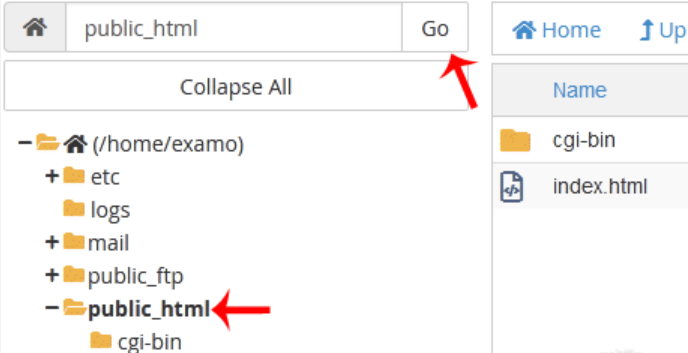
3. Navigate to the directory where you want to upload your files. For example, to upload files to your website, go to /public_html by double-clicking the public_html folder in the directory list.
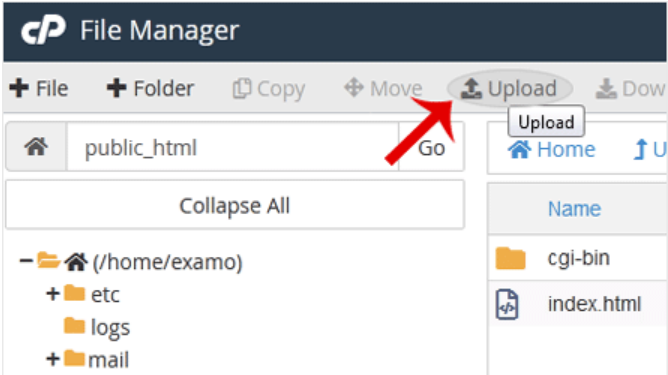
4. Click Upload.
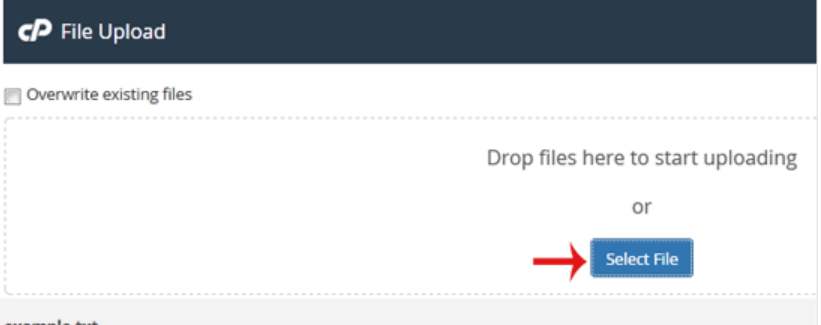
5. Click Select File to choose the file from your computer, then click Open to start uploading. You can also drag and drop files directly into the upload area.