
If you’re facing issues with sending or receiving emails, cPanel provides a Track Delivery tool that lets you monitor email transmissions and check their status.
This tool gives a detailed report showing whether an email was successfully delivered, is in progress, or failed.
Follow these steps to track your email status in StableCluster cPanel:
Step-by-Step Process
-
Log in to your cPanel account
Use your StableCluster-provided username and password to access your cPanel dashboard. -
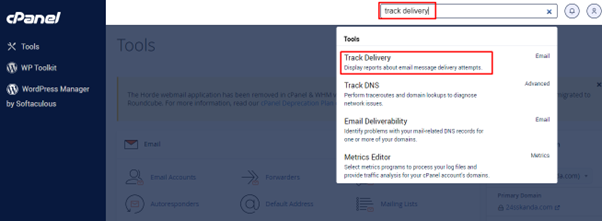
Locate the “Track Delivery” tool
Use the search bar or navigate to the Email section and click on Track Delivery.
Adjust the delivery report options
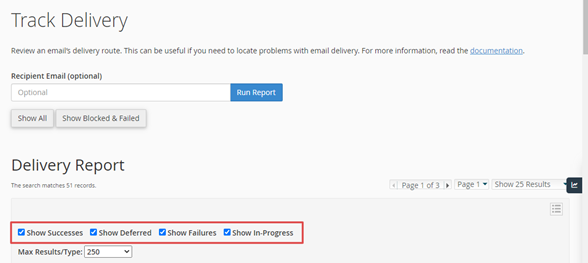
On the Track Delivery page, scroll down and check the boxes:
-
Show Success – to view successfully delivered emails
-
Show Failures – to view emails that could not be delivered
-
Show In-progress – to view emails that are still being processed
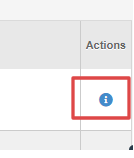
Click the “i” icon under the Actions column for any email entry.
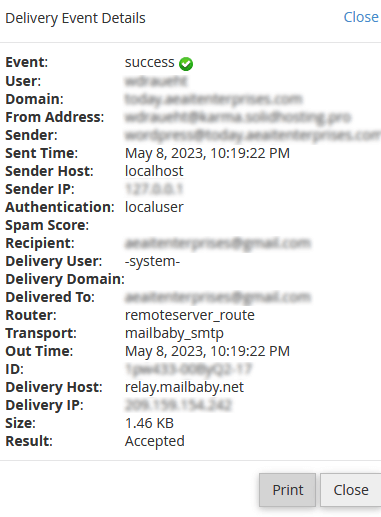
This will display detailed information about the email’s delivery status.
That’s it!
You can now monitor the sent/received status of any email from your cPanel account using the Track Delivery report.

