
You can easily create custom email addresses for your domain using cPanel. Follow these steps to create a new email account:
-
Log in to your cPanel account.
-
In the Email section, click Email Accounts.

-
On the right-hand side, click + Create.
-
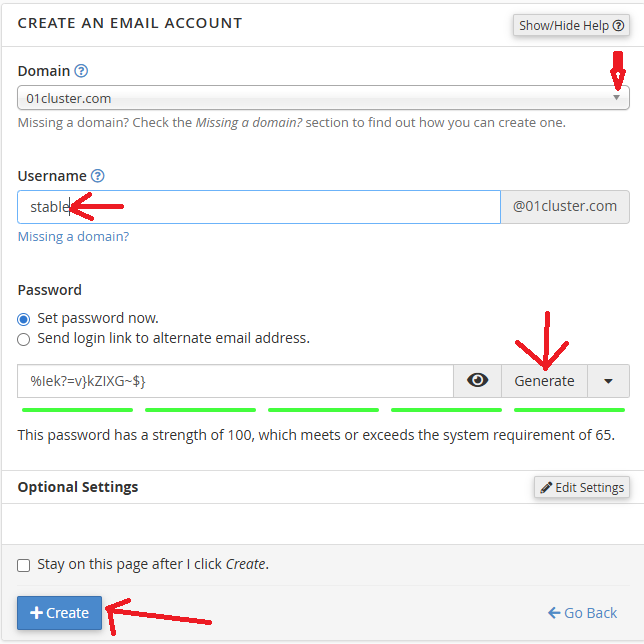
Under Create a New Email Account, fill in the required details:
-
Domain: If you have multiple domains, choose the correct one from the drop-down list.
-
Username: Enter the desired email username (for example, your name).
-
Password: Select Set password now, then either enter a password manually or use the password generator.
-
Optional Settings: Click Edit Settings to view more options. You can specify a storage limit or choose Unlimited.
-
-
Once done, click Create.
Your new email address will now appear under the Accounts & Domains tab.


