
StableCluster servers run on CloudLinux, which enhances stability and allows each cPanel user to select their preferred PHP version independently for their websites.
Need a Different PHP Version for an Addon Domain?
If you want to use a different PHP version for a specific addon domain, you can configure it using a .htaccess handler. This allows per-domain customization without affecting your main domain.
Steps to Change PHP Version in cPanel
-
Log in to your cPanel account
-
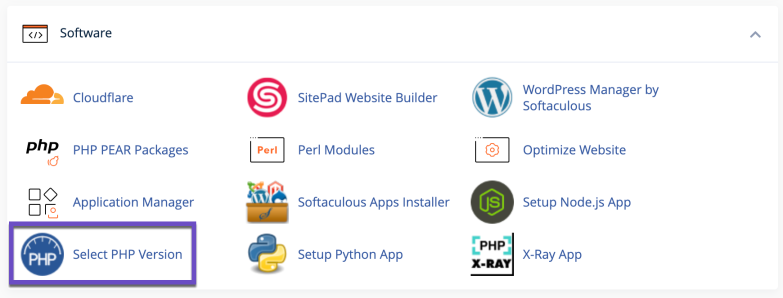
Go to the Software section
Click on Select PHP Version
-
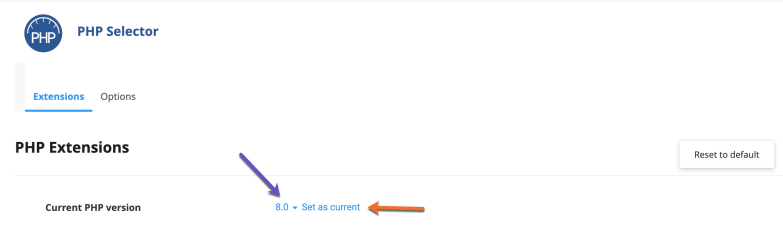
Choose your preferred PHP version
Use the dropdown menu to select the version you want
-
Apply the changes
Click on Set as current to save your selection
Important Notes
-
Make sure you select a PHP version that is compatible with your website or application
-
If your site shows errors after changing the PHP version, simply switch back to the previous version
-
Newer PHP versions offer better performance and security, but older applications may require older versions
Tip
Always test your website after making changes to ensure everything is working as expected.
Changing your PHP version is quick, but choosing the right one matters. The wrong version can break things fast so pick smart, test immediately, and adjust if needed.

